
How Far Are You From Your Screen?

7-second test to measure eye-to-screen distance. This helps your eye doctor prescribe the right computer glasses to help reduce eye strain.

7-second test
Runs locally in browser
No video uploaded
Shareable with your doctor
1 Enter info
2 Calibrate
3 Start test
4 Result
Thank you for being a valued customer of:

Screen Distance www.screendistance.com

You have completed the screen distance measurement.

Please bring these results to your next eye appointment to help your doctor prescribe the perfect computer glasses.

Gender
Height
ft
in
We'll use your height and gender to estimate your arm length. For webcam mode, this helps with calibration. For manual mode, this can help estimate your screen distance.
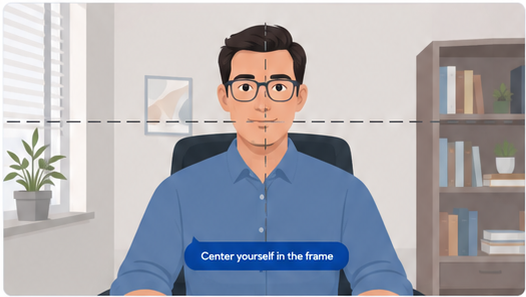
Center yourself in the frame Move back to your normal position.
Make sure your face is visible and well lit. Sit at your normal working distance.
Manual Mode
Enter your best guess for your current eye-to-screen distance. (or grab a tape measure!)
Typical ranges: 18–24 in (45–60 cm) close β€’ 24–30 in (60–75 cm) normal β€’ 30 in+ (75 cm+) far
Your Result
Estimated Screen Distance ?
After measurement, your screen distance result will appear here.
Report provided by:
Screen Distance

Estimated average distance
Method: β€”
If glasses feel off, ask about lenses optimized for this working distance.
Typical range
(10th–90th)
β€”
Time too close
β€”
If computer glasses feel "off," tell your eye doctor your real working distance (above) and ask for lenses optimized for that distance.
Processed locally. No data stored.

β€”

β€”
β€”

Share with your eye doctor

Download your result to share during your next visit. This helps your doctor prescribe lenses that match your real working distance.

Results are non-diagnostic and intended for informational use only.
www.screendistance.com
No results yet.
  • Use even lighting so your face is easy to see.
  • Keep your face centered in the camera.
  • Sit at your normal working distance and stay still during the test.
  • Video is processed on this device only.
  • Nothing is uploaded, stored, or sent to a server.
  • The result is a non-diagnostic estimate you can share with your eye doctor.
Copied!